Getting Started
Welcome to Viewbot.tv
Viewbot.tv provides a suite of growth tools for streamers on Twitch and Kick. Whether you're looking to boost your viewer count, increase chat activity (from your own message lists or with AI chatters that watch your stream), grow your follower base, or enhance your clip and VOD visibility, we have the tools you need.
This documentation will help you understand how each bot works, the best practices for using them, and platform-specific recommendations to get the most out of your subscription.
Account Setup
Getting started is simple:
- 1Create an account or sign in at viewbot.tv/signin
- 2Choose a subscription plan that fits your needs
- 3Add your Twitch or Kick channel in the dashboard
- 4Start using any of the available bots
You can find more information about managing your channels and instances in the Dashboard Overview section.
Dashboard Overview
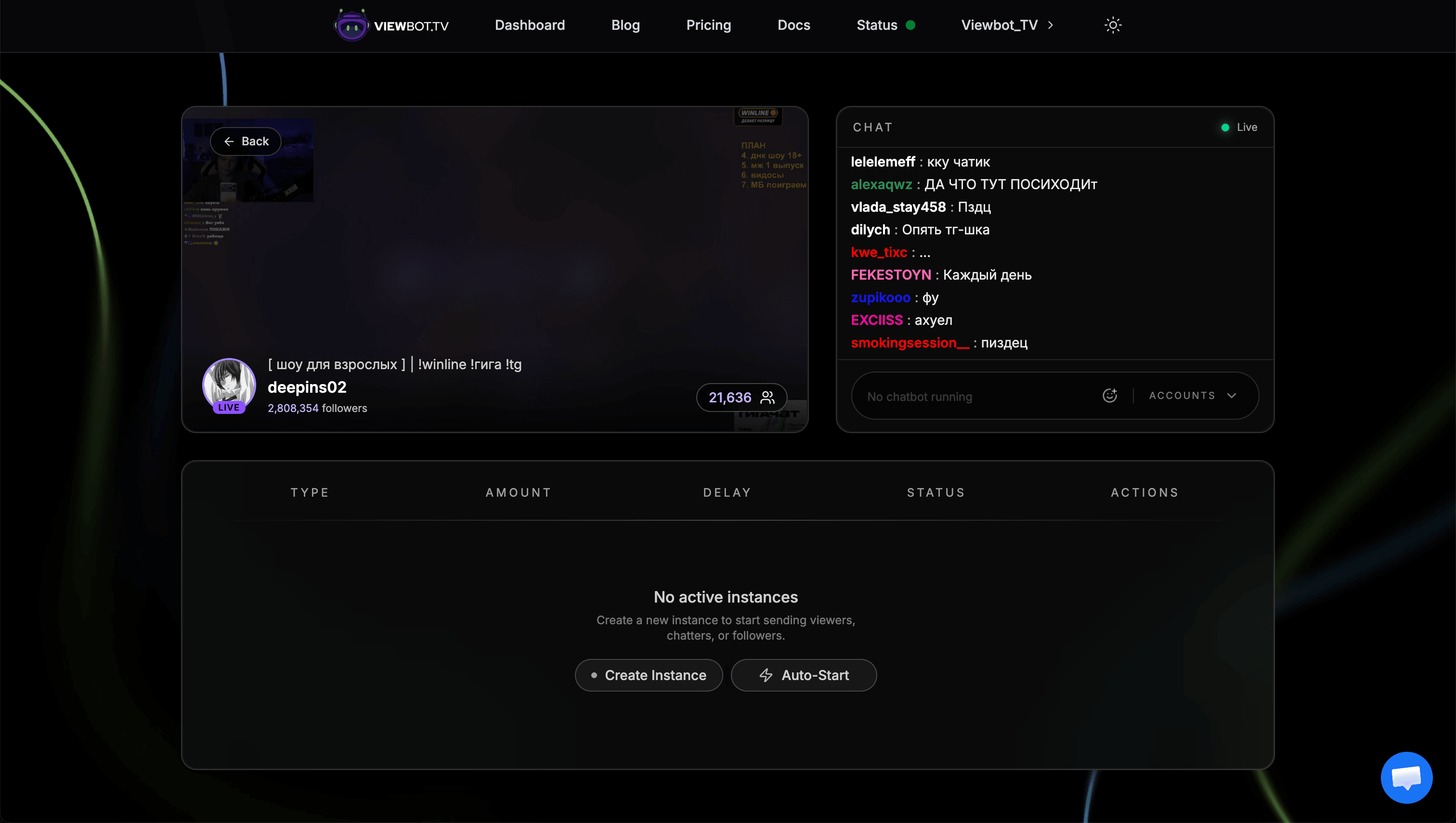
The dashboard is your central hub for managing all bot activities. From here you can:
- •Add and manage your channels (Twitch and Kick)
- •Start and stop bot instances
- •Configure bot parameters (amount, delay, etc.)
- •Monitor active sessions
- •Access the individual chat control feature
Starting Your First Bot
To start a bot:
- 1Select your channel from the dashboard
- 2Choose the bot type you want to use
- 3Configure the parameters (amount, delay, etc.)
- 4Click Start
Each bot has its own set of parameters and best practices. Check the individual bot guides below for detailed instructions.
Platform Selection
Viewbot.tv supports both  and
and  . Each platform has slightly different behaviors and recommendations, which are covered in the individual bot guides.
Platform Availability
| Bot | | |
|---|---|---|
| Viewer Bot | ||
| Chat Bot | ||
| AI Chat Bot | ||
| Follower Bot | ||
| Clip Bot | ||
| Poll Bot | ||
| VOD Bot |
Bot Guides
Click on any bot below to learn how to use it effectively:
Viewer Bot
Increase your live viewer count with customizable delays and amounts.
Chat Bot
Add chat activity with multiple accounts, custom messages, and individual control.
AI Chat Bot
Chatters that watch and listen to your stream, react to what happens and talk with your real viewers, in any language.
Follower Bot
Grow your permanent follower count and unlock follower-only chat mode.
Clip Bot
Boost view counts on your clips for both Twitch and Kick.
Poll Bot
Control poll outcomes on Kick with customizable vote distribution.

VOD Bot
Increase view counts on your Twitch VODs.

Integrations
Control your bots from outside the dashboard:
Next Steps
Ready to get started? Head to the Dashboard to start using your bots.