

 Twitch
 Kick
KickFollower Bot
Overview
The Follower Bot increases your channel's follower count with permanent followers. These followers also become available for use with the Chat Bot in follower-only mode.
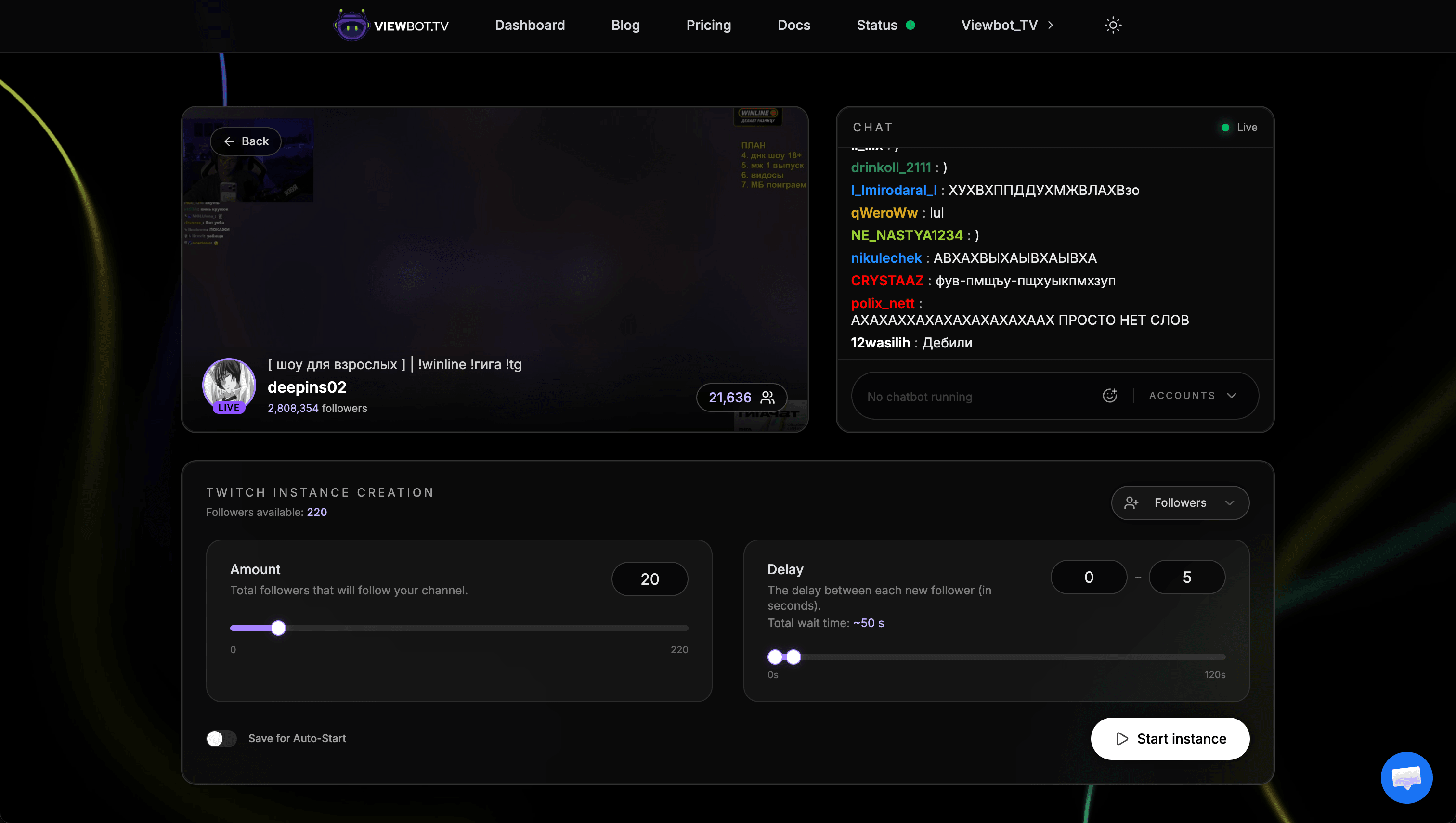
Parameters
| Parameter | Description |
|---|---|
| amount | Number of followers to send |
| delay | "min-max" format: delay in seconds between each follow |
Key Points
Every follower is a real-looking account
Followers come from our own pool of Twitch and Kick accounts: a realistic username and a profile picture, and on Kick a real Kick level earned from watch time. Anyone who opens your follower list sees normal profiles instead of empty names.
Followers are PERMANENT
Unlike viewers, followers don't drop off. Once they follow, they stay.
Don't use all followers the first day
Spread your follower growth over time for more natural-looking growth. A sudden spike of thousands of followers looks suspicious.
Unused followers are LOST when subscription expires
Make sure to use your allocated followers before your subscription ends. They don't roll over.
Connection to Chat Bot
Follower Bot accounts become the pool for the Chat Bot when your chat is in follower-only mode. The Chat Bot notices the mode on its own, so there is nothing to switch on.
- 1Send followers to your channel using Follower Bot
- 2Start the Chat Bot as usual: it sees that follower-only chat is on by itself
- 3Chat Bot will only use accounts that have followed your channel
More followers = more variety. If you only have 20 follower accounts, chat will cycle through the same 20 usernames. Send more followers to get greater variety in your chat.
Best Practices
- Spread growth over time: Don't send 10,000 followers in one day. Send a few hundred per day for natural-looking growth.
- Match your viewer count: Having 50,000 followers but only 10 average viewers looks suspicious. Keep your metrics somewhat proportional.
- Use appropriate delays: Higher delays (5-10 seconds) create more natural-looking follow patterns.
- Plan ahead: If you need follower-only chat, send followers before you need them.
Next Steps
Now that you have followers, set up the Chat Bot with follower-only mode, or check out the Clip Bot to boost your clip views.