

 Twitch
 Kick
KickClip Bot
Overview
The Clip Bot increases view counts on your clips. Works for both Twitch and Kick clips, with easy clip selection via slider, ID, or URL.
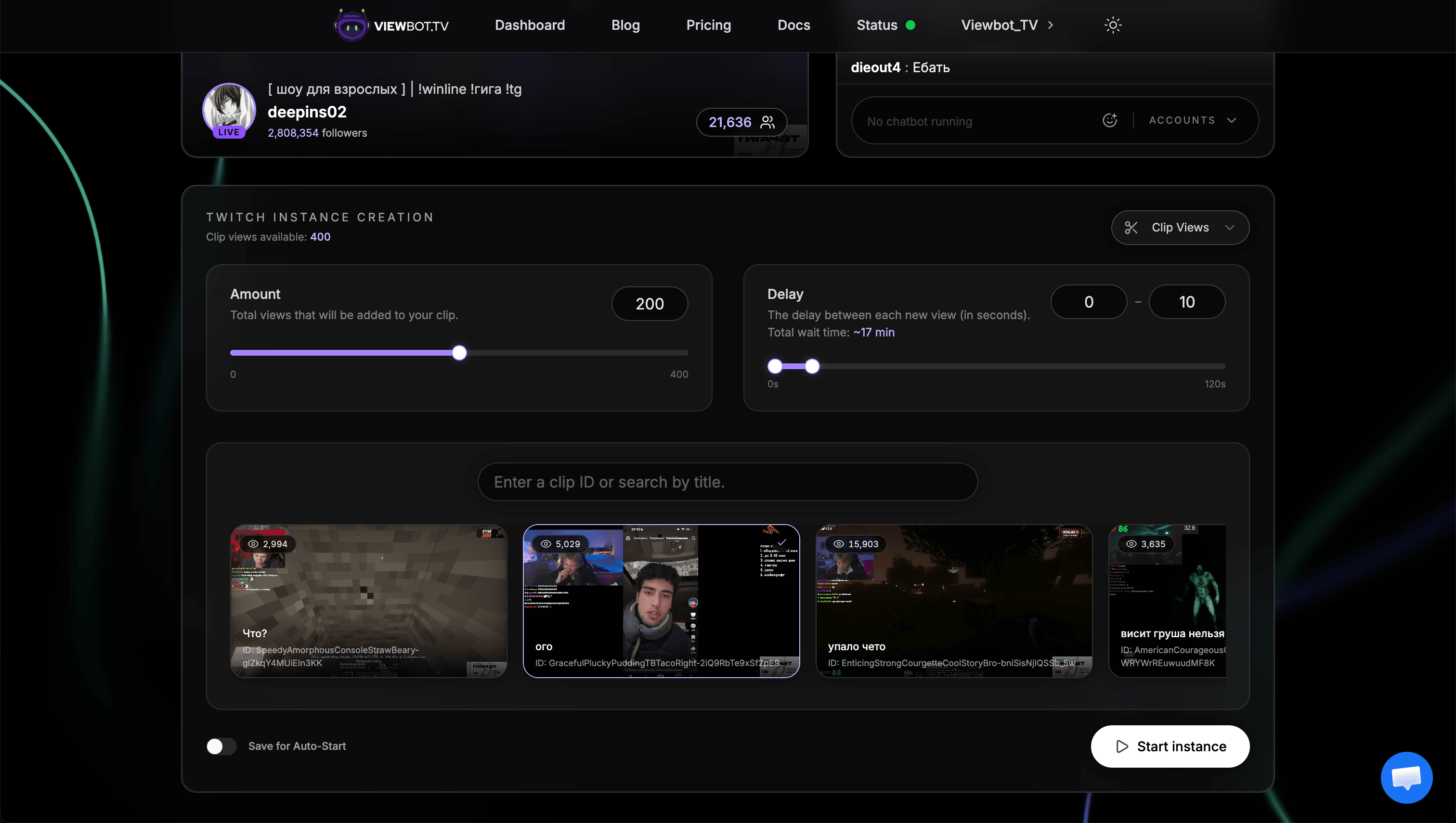
Parameters
| Parameter | Description |
|---|---|
| amount | Number of clip views to send |
| delay | "min-max" format: delay in seconds between each view |
| data | Clip selection (slider, ID, or URL) |
Clip Selection Options
You have three ways to select which clip to boost:
Slider
Browse through your most recent clips with an easy-to-use slider.
Best for
Quickly selecting recent clips
Clip ID
Enter the clip ID directly. You can find this in the clip URL.
Best for
Boosting a specific older clip
Full URL
Paste the complete clip URL. We'll extract the info automatically.
Best for
When you have the URL copied
Key Points
Views are permanent
Once added, views stay on your clips. They don't decrease over time.
No limits
There are no limits on how many clips you can boost or how many views per clip.
View count refresh takes time
Both Twitch and Kick take some time to update displayed view counts. Be patient. The views are being added even if the number doesn't update immediately.
Next Steps
Check out the Poll Bot for Kick poll manipulation, or the VOD Bot to boost your Twitch VOD views.