

 Twitch only
VOD Bot
Overview
The VOD Bot increases view counts on your Twitch VODs (Video on Demand). Boost your past broadcasts and highlights with permanent views.
Note: VOD Bot is only available for Twitch. Kick does not support this feature.
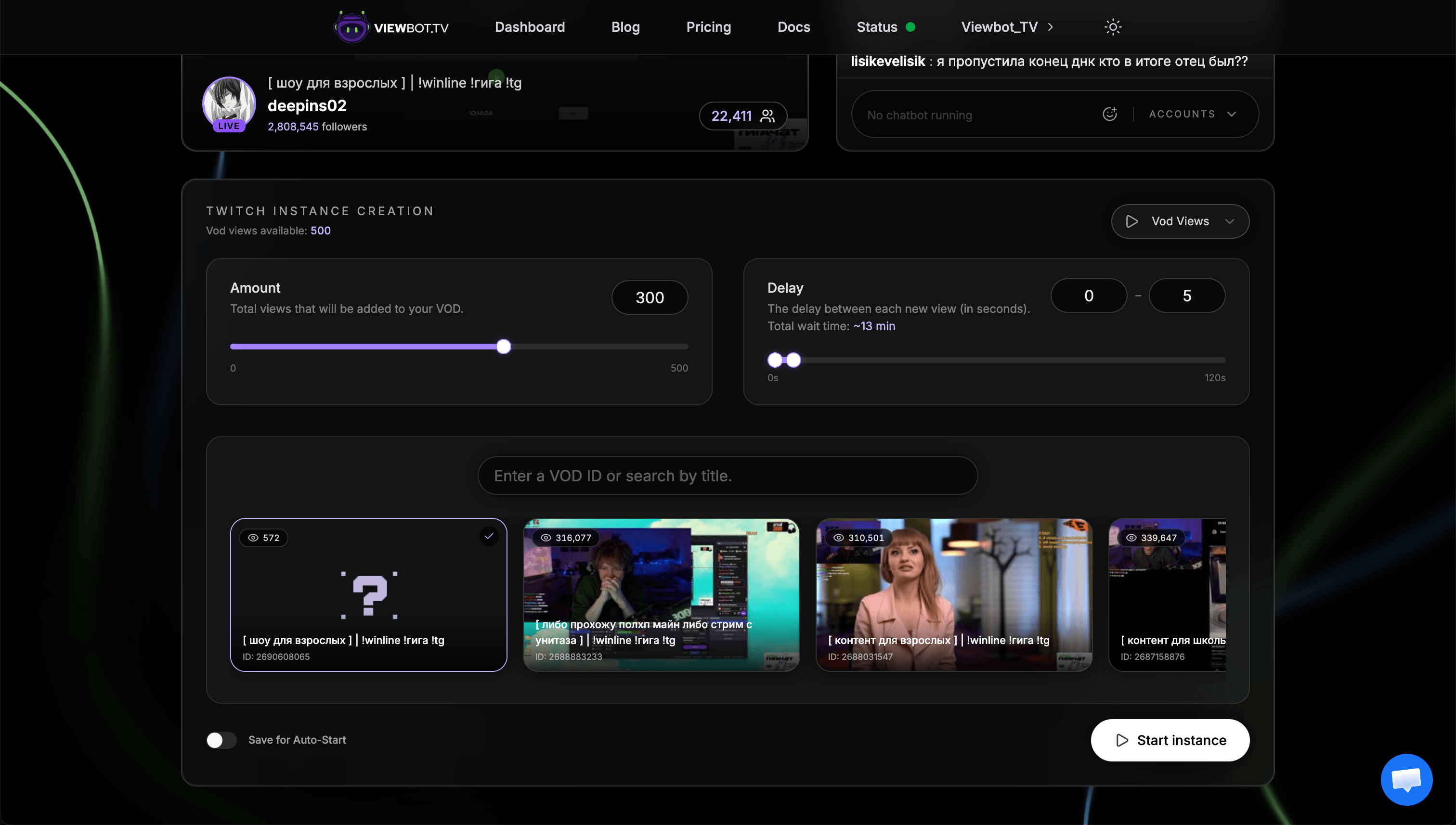
Parameters
| Parameter | Description |
|---|---|
| amount | Number of VOD views to send |
| delay | "min-max" format: delay in seconds between each view |
| data | VOD selection (slider, ID, or URL) |
VOD Selection Options
You have three ways to select which VOD to boost:
Slider
Browse through your most recent VODs with an easy-to-use slider.
Best for
Quickly selecting recent VODs
VOD URL
Paste the complete VOD URL. We'll extract the info automatically.
Best for
When you have the URL copied
VOD ID
Enter the VOD ID directly: the numbers after /videos/ in the URL.
Best for
Boosting a specific older VOD
Key Points
Views are permanent
Once added, views stay on your VODs. They don't decrease over time.
Not available for Kick
This feature is exclusive to Twitch. Kick VODs are not supported.
Use Cases
- Boost highlights: Make your best moments look more popular to attract new viewers
- Increase past broadcast views: Show potential followers that your content is watched
- Social proof: Higher view counts encourage more organic viewers to watch
Next Steps
Explore the Clip Bot for boosting clip views.